How to Activate Twitch Drops in Path of Exile 2
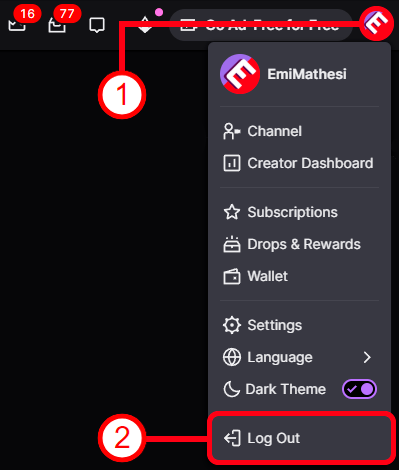
1️⃣ If you are logged into another Twitch account before linking — you need to log out of it on this page: https://www.twitch.tv/
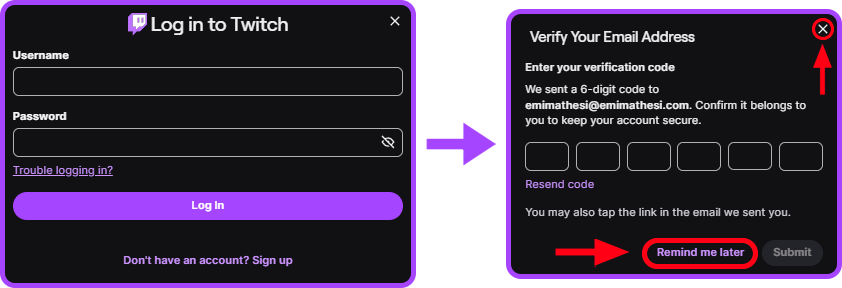
2️⃣ After purchase, you received the login and password for the Twitch account. Use these details to log into Twitch on this page: https://www.twitch.tv/drops/


3️⃣ Successfully logged into the Twitch account? Now log into your Path of Exile 2 account where you want to receive the rewards: https://www.pathofexile.com/login
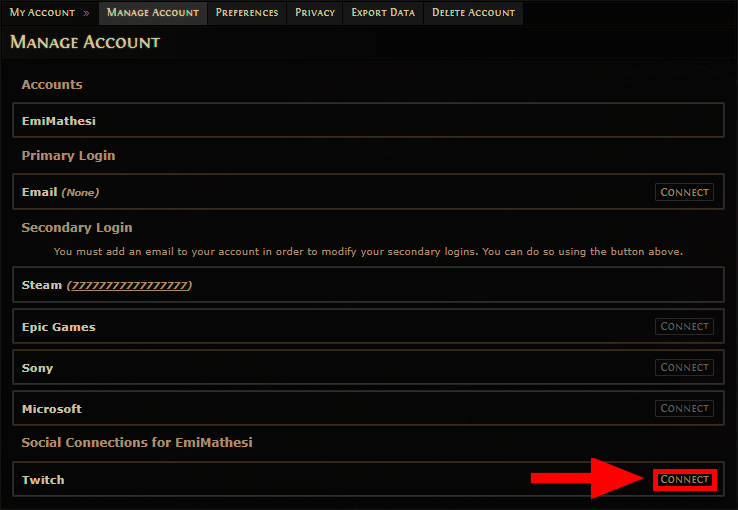
4️⃣ Logged into your Path of Exile 2 account? Now open the “Manage account” page: https://www.pathofexile.com/my-account/connections
5️⃣ Find the Twitch section and click “Connect” → “Authorize”.
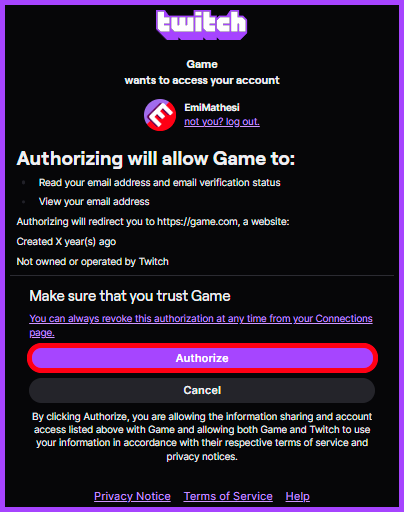
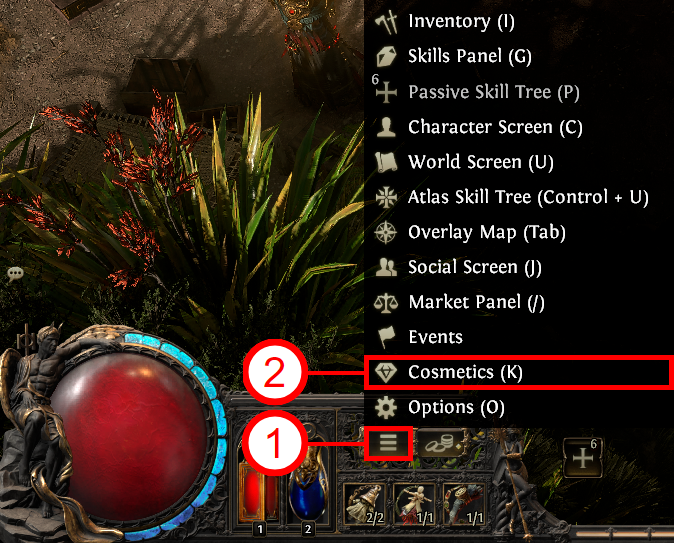
6️⃣ Your account has been linked successfully! You must restart the game. You can check your rewards in-game by pressing “K”, or on the website: https://www.pathofexile.com/my-account/twitch.